
Oct23
Microsoft Planner Training
Mastering Microsoft Planner
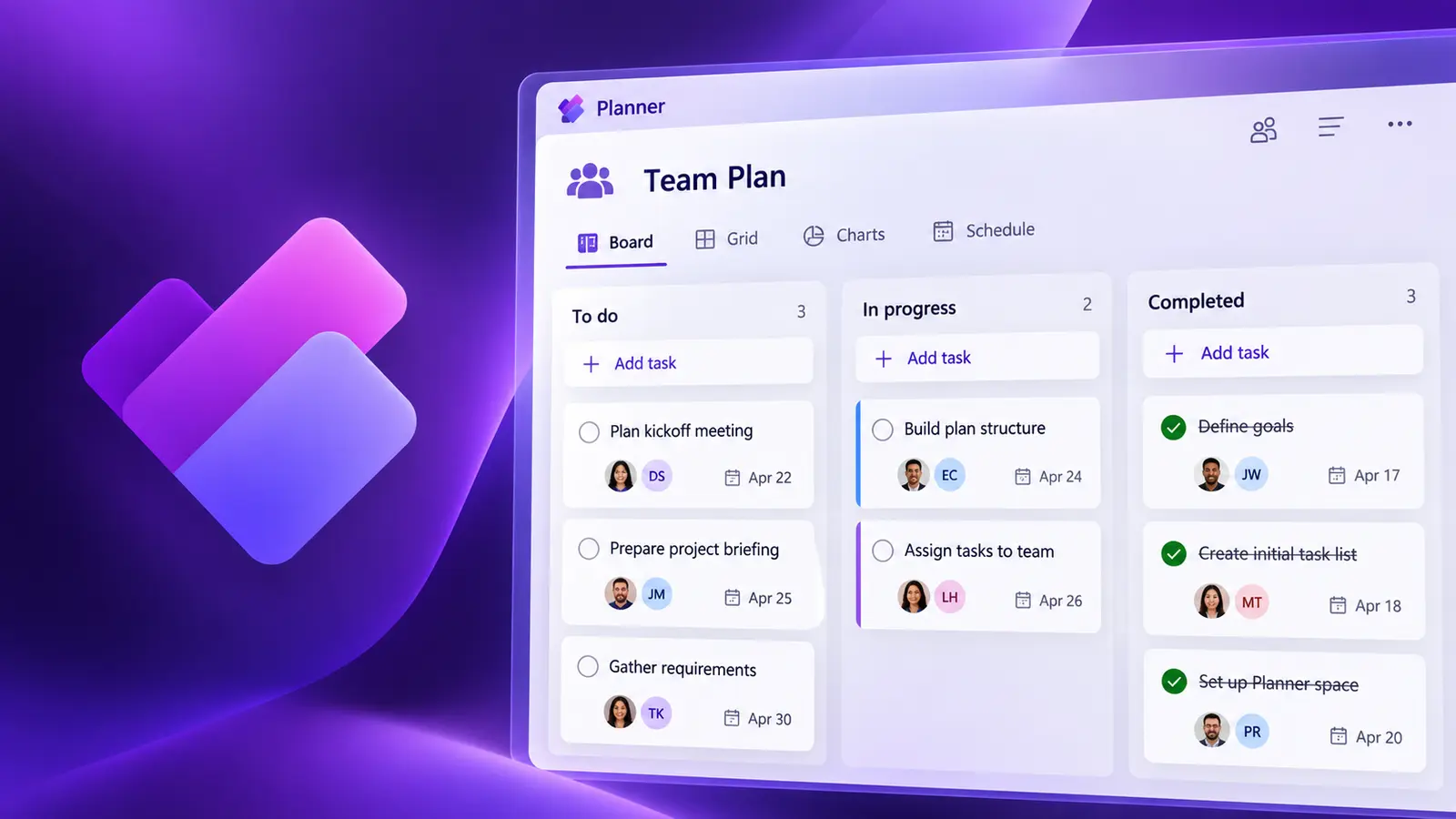
Microsoft Planner is a task management tool that allows individuals and teams to organise and manage their workload efficiently. Learn to use it to manage workload, events or any initiative that requires coordination and collaboration.
- 6 hours
- Live Virtual, instructor-led
- English & French
What you'll be able to do
Practical skills you can use right away
Run plans and boards
Set up Kanban boards your team will use.
Delegate tasks
Assign work clearly.
Track progress
Monitor status reliably.
Connect your tools
Link Planner with Outlook, To Do, Loop and Teams.
Course content
Step-by-step, hands-on learning
This course combines live instruction, demonstrations and practical exercises.
- What is Microsoft Planner?
- Overview of the interface
- Setting up Planner notifications
Continue your Planner learning
Keep building your practical skills
'%3e%3cpath%20d='M8.25809%2015.7412C7.22488%2016.7744%205.54971%2016.7744%204.5165%2015.7412L0.774909%2011.9996C-0.258303%2010.9664%20-0.258303%209.29129%200.774908%208.25809L4.5165%204.51655C5.54971%203.48335%207.22488%203.48335%208.25809%204.51655L11.9997%208.2581C13.0329%209.29129%2013.0329%2010.9664%2011.9997%2011.9996L8.25809%2015.7412Z'%20fill='url(%23paint0_linear_3984_11038)'/%3e%3cpath%20d='M8.25809%2015.7412C7.22488%2016.7744%205.54971%2016.7744%204.5165%2015.7412L0.774909%2011.9996C-0.258303%2010.9664%20-0.258303%209.29129%200.774908%208.25809L4.5165%204.51655C5.54971%203.48335%207.22488%203.48335%208.25809%204.51655L11.9997%208.2581C13.0329%209.29129%2013.0329%2010.9664%2011.9997%2011.9996L8.25809%2015.7412Z'%20fill='url(%23paint1_linear_3984_11038)'/%3e%3cpath%20d='M0.774857%2011.9999C1.80809%2013.0331%203.48331%2013.0331%204.51655%2011.9999L15.7417%200.774926C16.7749%20-0.258304%2018.4501%20-0.258309%2019.4834%200.774914L23.225%204.51655C24.2583%205.54977%2024.2583%207.22496%2023.225%208.25819L11.9999%2019.4832C10.9667%2020.5164%209.29146%2020.5164%208.25822%2019.4832L0.774857%2011.9999Z'%20fill='url(%23paint2_linear_3984_11038)'/%3e%3cpath%20d='M0.774857%2011.9999C1.80809%2013.0331%203.48331%2013.0331%204.51655%2011.9999L15.7417%200.774926C16.7749%20-0.258304%2018.4501%20-0.258309%2019.4834%200.774914L23.225%204.51655C24.2583%205.54977%2024.2583%207.22496%2023.225%208.25819L11.9999%2019.4832C10.9667%2020.5164%209.29146%2020.5164%208.25822%2019.4832L0.774857%2011.9999Z'%20fill='url(%23paint3_linear_3984_11038)'/%3e%3cpath%20d='M4.51642%2015.7413C5.54966%2016.7746%207.22487%2016.7746%208.25812%2015.7413L15.7415%208.25803C16.7748%207.2248%2018.45%207.2248%2019.4832%208.25803L23.2249%2011.9997C24.2582%2013.0329%2024.2582%2014.7081%2023.2249%2015.7413L15.7415%2023.2246C14.7083%2024.2579%2013.033%2024.2579%2011.9998%2023.2246L4.51642%2015.7413Z'%20fill='url(%23paint4_linear_3984_11038)'/%3e%3cpath%20d='M4.51642%2015.7413C5.54966%2016.7746%207.22487%2016.7746%208.25812%2015.7413L15.7415%208.25803C16.7748%207.2248%2018.45%207.2248%2019.4832%208.25803L23.2249%2011.9997C24.2582%2013.0329%2024.2582%2014.7081%2023.2249%2015.7413L15.7415%2023.2246C14.7083%2024.2579%2013.033%2024.2579%2011.9998%2023.2246L4.51642%2015.7413Z'%20fill='url(%23paint5_linear_3984_11038)'/%3e%3c/g%3e%3cdefs%3e%3clinearGradient%20id='paint0_linear_3984_11038'%20x1='6.38724'%20y1='3.74167'%20x2='2.15779'%20y2='12.777'%20gradientUnits='userSpaceOnUse'%3e%3cstop%20stop-color='%238752E0'/%3e%3cstop%20offset='1'%20stop-color='%23541278'/%3e%3c/linearGradient%3e%3clinearGradient%20id='paint1_linear_3984_11038'%20x1='8.38032'%20y1='11.0696'%20x2='4.94062'%20y2='7.69244'%20gradientUnits='userSpaceOnUse'%3e%3cstop%20offset='0.12172'%20stop-color='%233D0D59'/%3e%3cstop%20offset='1'%20stop-color='%237034B0'%20stop-opacity='0'/%3e%3c/linearGradient%3e%3clinearGradient%20id='paint2_linear_3984_11038'%20x1='18.3701'%20y1='-3.33385e-05'%20x2='9.85717'%20y2='20.4192'%20gradientUnits='userSpaceOnUse'%3e%3cstop%20stop-color='%23DB45E0'/%3e%3cstop%20offset='1'%20stop-color='%236C0F71'/%3e%3c/linearGradient%3e%3clinearGradient%20id='paint3_linear_3984_11038'%20x1='18.3701'%20y1='-3.33385e-05'%20x2='9.85717'%20y2='20.4192'%20gradientUnits='userSpaceOnUse'%3e%3cstop%20stop-color='%23DB45E0'/%3e%3cstop%20offset='0.677403'%20stop-color='%23A829AE'/%3e%3cstop%20offset='1'%20stop-color='%238F28B3'/%3e%3c/linearGradient%3e%3clinearGradient%20id='paint4_linear_3984_11038'%20x1='18.0002'%20y1='7.49958'%20x2='14.0004'%20y2='23.9988'%20gradientUnits='userSpaceOnUse'%3e%3cstop%20stop-color='%233DCBFF'/%3e%3cstop%20offset='1'%20stop-color='%2300479E'/%3e%3c/linearGradient%3e%3clinearGradient%20id='paint5_linear_3984_11038'%20x1='18.2164'%20y1='7.92626'%20x2='10.5237'%20y2='22.9363'%20gradientUnits='userSpaceOnUse'%3e%3cstop%20stop-color='%233DCBFF'/%3e%3cstop%20offset='1'%20stop-color='%234A40D4'/%3e%3c/linearGradient%3e%3cclipPath%20id='clip0_3984_11038'%3e%3crect%20width='24'%20height='24'%20fill='white'/%3e%3c/clipPath%3e%3c/defs%3e%3c/svg%3e)
Mastering Planner Premium
Planner Premium is Microsoft's most recent project management offering — a paid version of Planner that adds capabilities found in MS Project such as dependencies, Gantt charts, resource management and portfolios.
View courseRelated training

Live instruction
Learn with Gilles Essiambre
Live, guided practice with time for questions and feedback. Ask about a private session tailored to your team.